
Viewing & Sending an Invoice
Viewing & Sending an Invoice
1.) Log into the backend system. Click on “Payments” -> “Invoice”:

2.) Click on the first icon (eye icon):

3.) The invoice will open.

4.) Here is the created invoice:

Here is its line item(s):

5.) Click on the first icon (paper plane icon):

6.) This will open up an email notification for this invoice and click “Send”:

MEMBER OPENS UP THE EMAIL INVOICE:
7.) Email sent to the member:

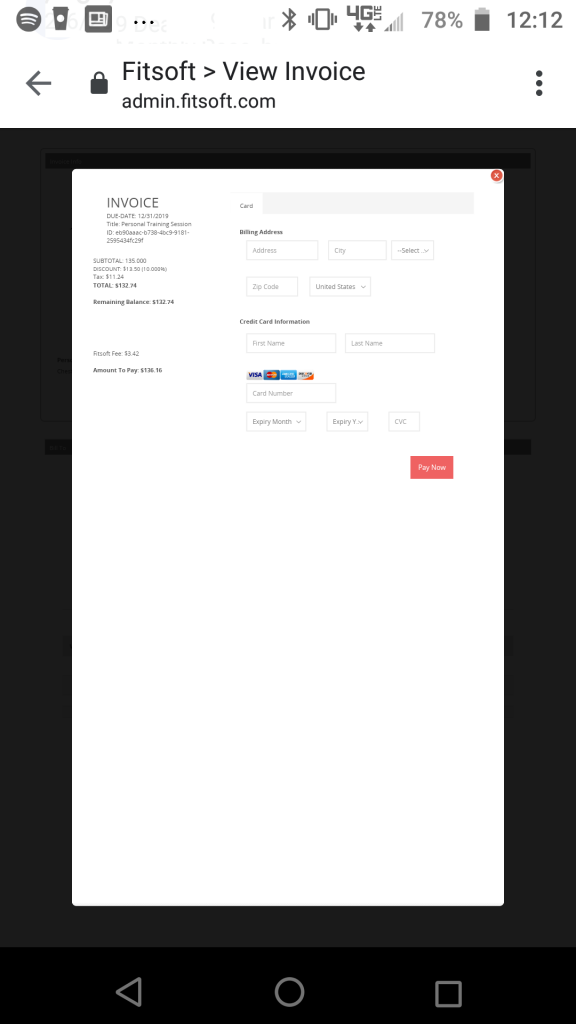
8.) Member opens up the invoice:

Payment can be processed through here:
*If you have any questions on technical questions you can contact support at customersuccess@fitsoft.com